Eduu: Audio Learning App
An audio learning app that brings the structure of an online course together with audio, something we are already comfortable with, so people can learn in the time they already have.
- Role
- Product Designer
- Timeline
- 2 Weeks
- Tools
- Figma
Overview
Learning with the time you already have, in a way you already know.
Eduu is a mobile platform for audio-based learning that combines the structure of the traditional course platforms, with the hands-free ease of an audio app.
It isn't meant to replace video or text-based courses. Those suit moments of full attention. Eduu is built for the other moments, on the commute, on a walk, in the middle of chores or in moments when we don't feel the need to sit in front of a screen.
The Problem
Most adults want to keep learning. Few can sit down to do it.
Online courses ask for something that can be hard to give sometimes: a block of uninterrupted time and a screen. For adults juggling work, family, and daily responsibilities, that block rarely shows up, so learning always gets pushed to "later".
Yet plenty of the day is spent in moments where the eyes and hands are busy but the ears are free. That time is there, but no learning product is built for it.
Course platforms offer structure and progress but need the screen. The challenge was to give learners progress and direction without always requiring them to look, just like the music and podcast apps we are already comfortable with.
The Process
1. Framing the problem
I started from time and attention, not from a feature list. The question stopped being "how do I build a course app?" and became "how do I serve the time people already have but can't use for learning?" That reframing shaped everything after it: the content format, the entire user experience journey, and what each screen has to do.
2. Building on a habit people already have
People are comfortable pressing play on podcasts and music apps and carrying on with their day, so the product didn't need to teach a new behaviour. It needed to bring course structure into one they already have. That shaped the design too: the mini player, 15-second skips, and speed control follow conventions people already know, so the only new thing to learn is the course itself.
3. Landscape review
I looked at the two main products related to Eduu to see where the gap sits.
| Group | What it does well | Where it falls short |
|---|---|---|
| Traditional Course platforms | Structure, progress, a clear path to finishing | Needs a screen and sustained attention |
| Audiobook apps | Audio-first, suited to spare moments | Built around single titles, with little course structure or practice |
Eduu fills the gap in the middle: structure and progress, delivered in a form that works when you are not always looking at the screen.
4. Key design decisions
Positioning: A product of its own
I decided early that this wouldn't try to replace video or text courses. Audio can't carry everything, especially visual or procedural subjects, and pretending otherwise would have meant designing against the grain. Treating it as a product solving its own problem kept the scope honest and every screen focused on bringing the best experience possible.
Subscription over pay-per-course
Charging per course adds a purchase decision and friction to every start, which works against the quick, low-effort use the product is for. A subscription based model removes that friction and makes browsing low-stakes.
Final Designs
The Outcome
1. Home Screen: Browsing and exploring courses
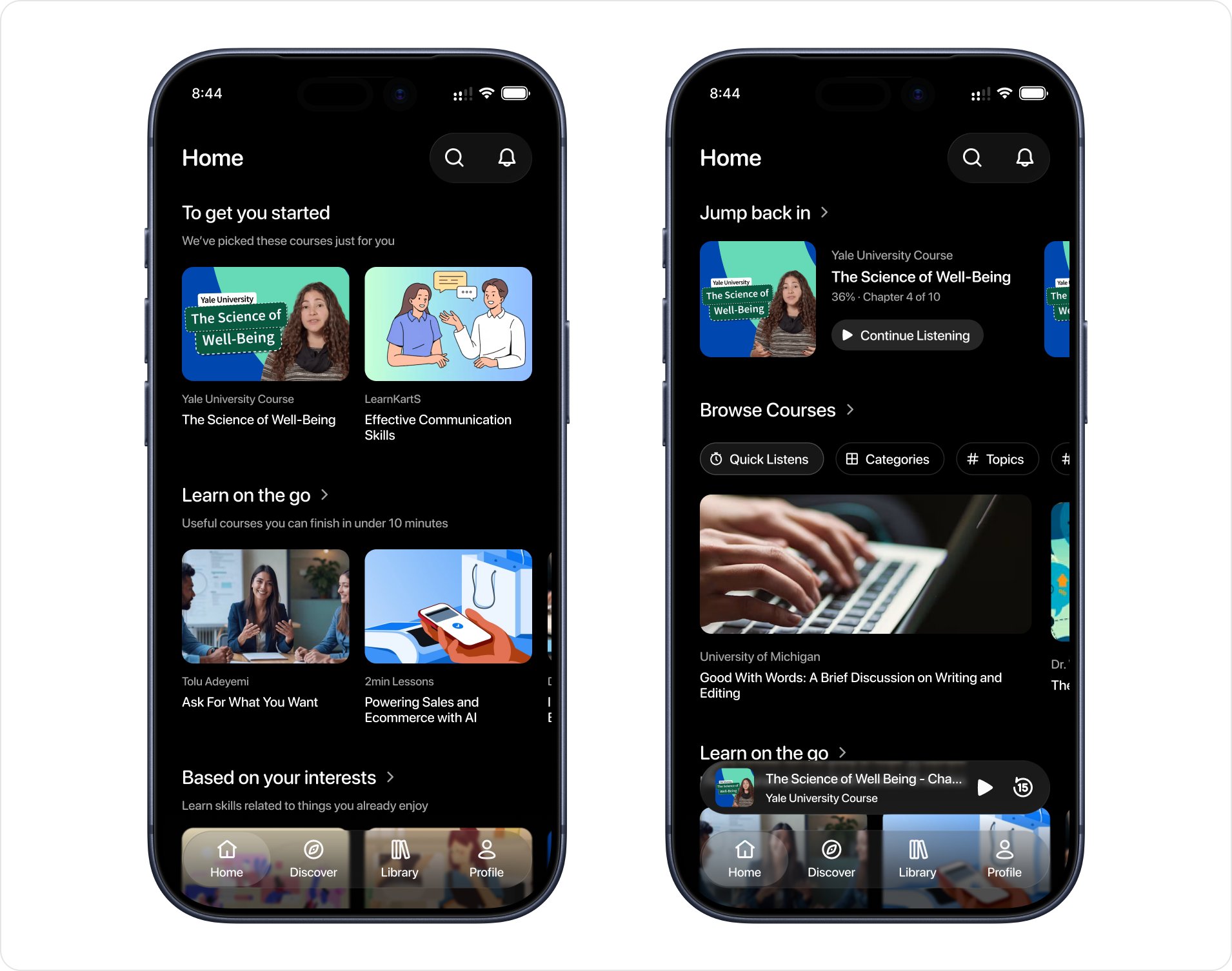
The home screen answers a single question... "what should I listen to right now?"
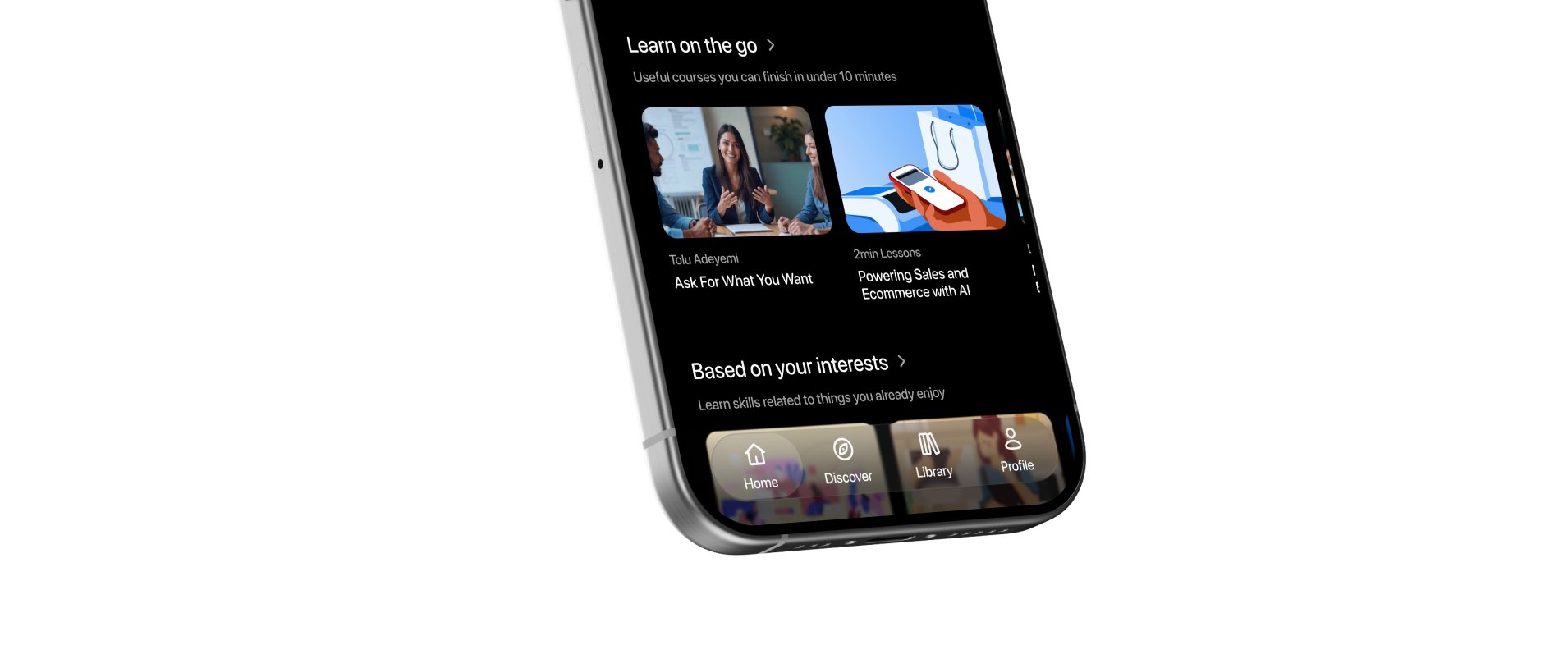
For returning learners it opens with a quick way back into what they were listening to, then lets them browse by filter pills (quick listens, categories, topics) and a "Learn on the go" section of courses which carries the on-the-move idea.
A new learner sees "To get you started" instead, since there's nothing to resume, and "Based on your interests" suggests skills related to things they already enjoy.
2. Course detail and subscribing
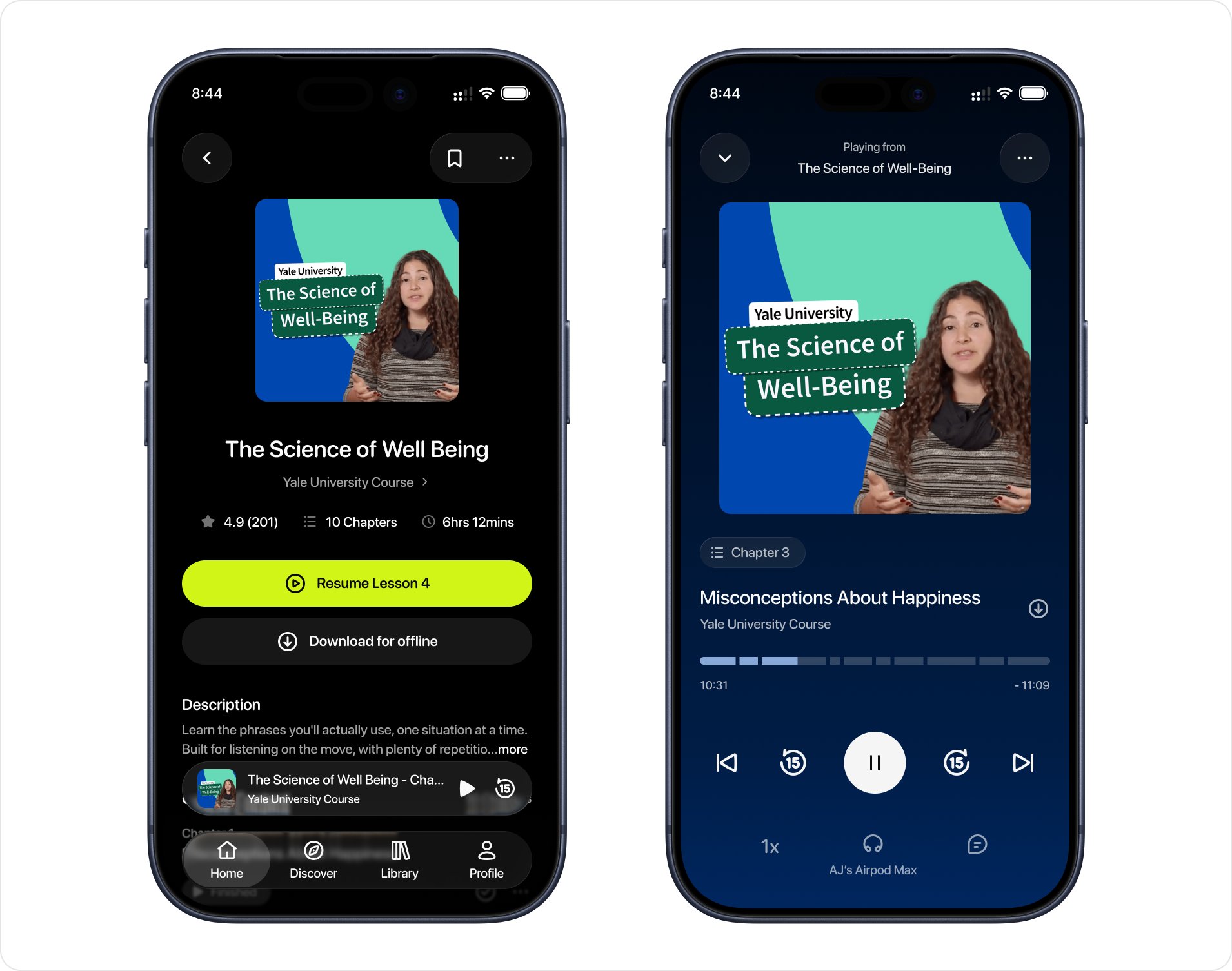
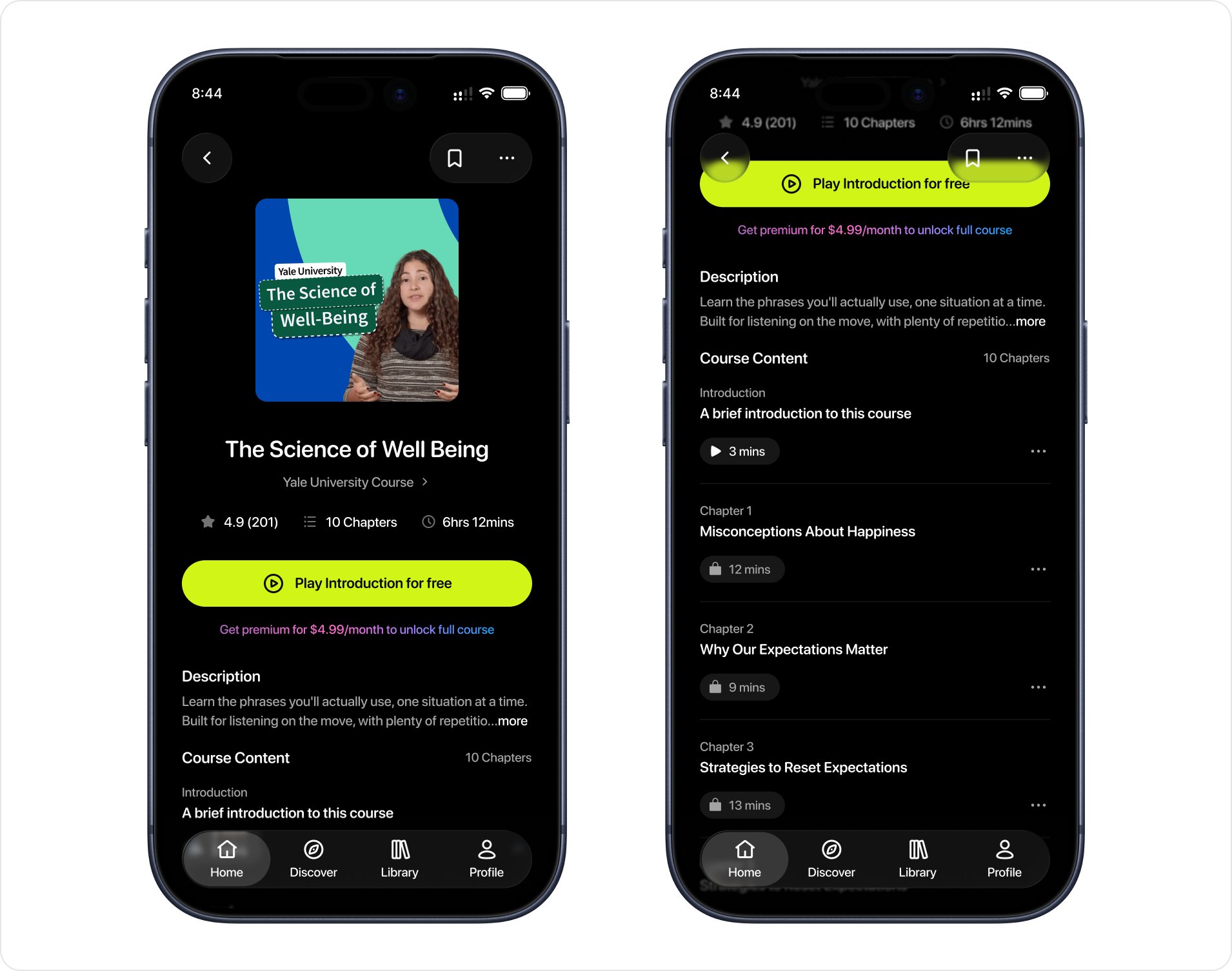
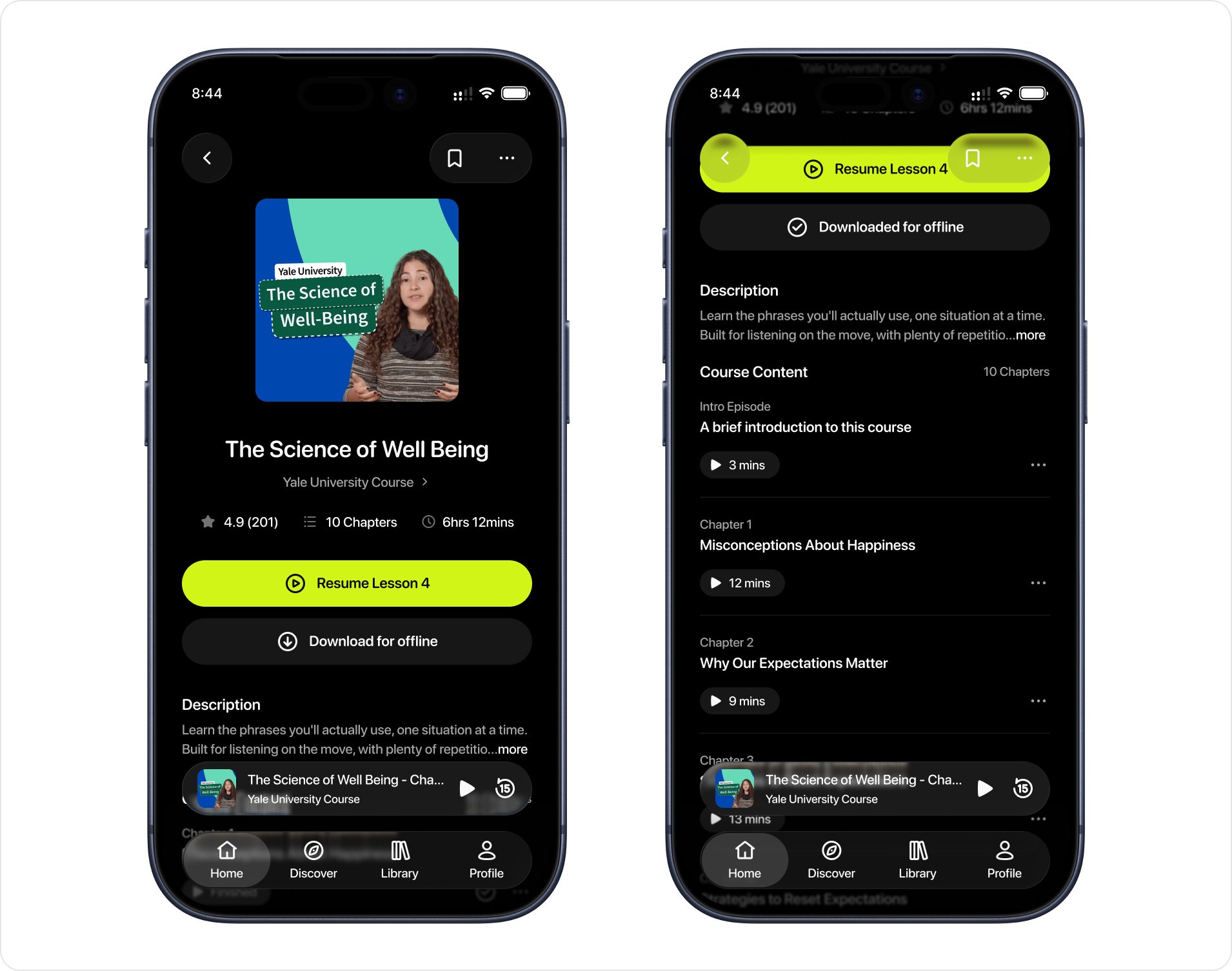
For someone who hasn't subscribed, the button has one job: get them past the gate without feeling sold to. Instead of a free trial, I made the free introduction the primary action, so they can hear the product before committing, with the premium price ($4.99/month) shown right beneath it. Locked chapters carry a lock icon, so the gate is never a surprise.
3. Course Player
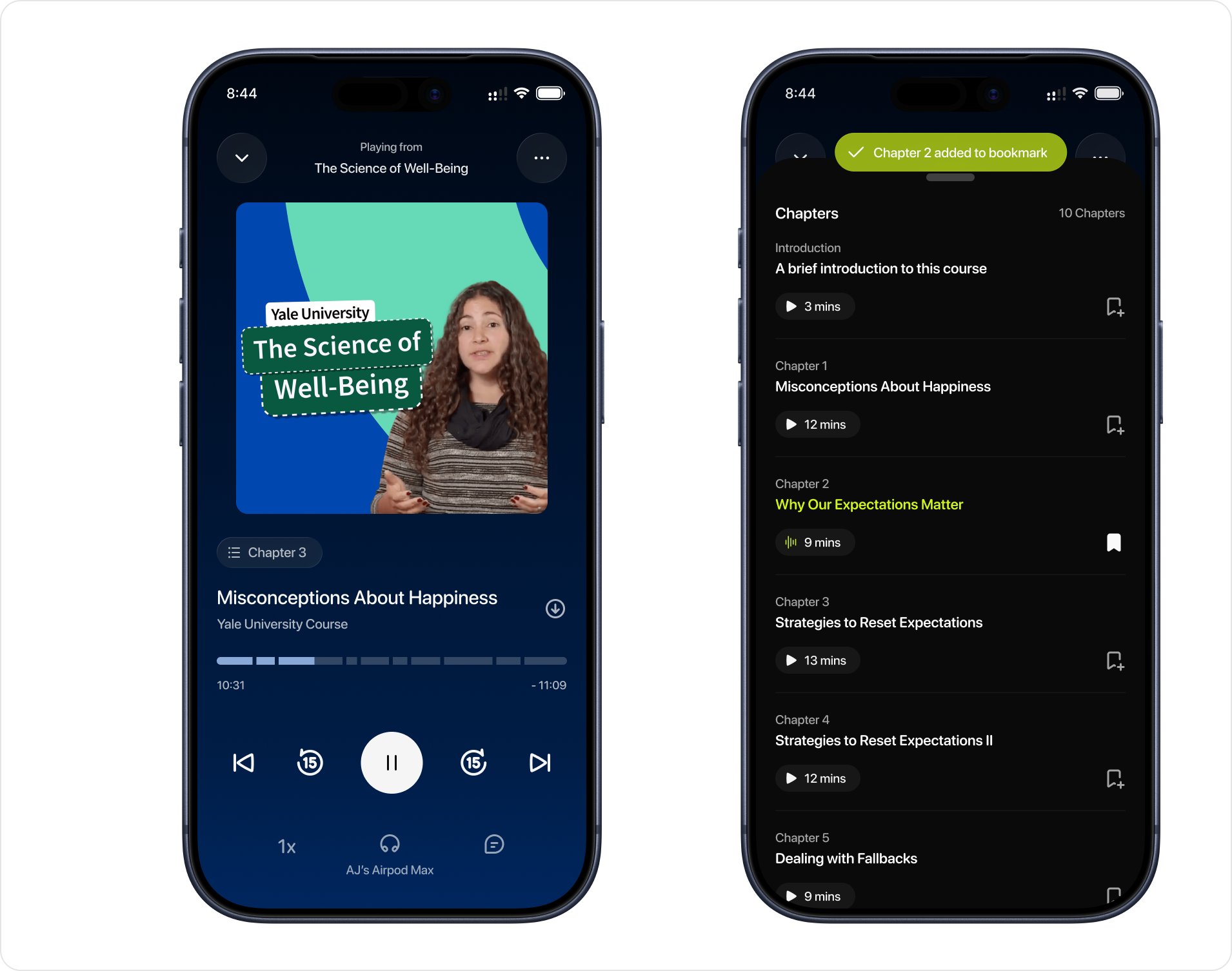
The player has to show progress and structure without asking the learner to look.
The key challenges: replaying the last few seconds, speed control, moving between chapters, bookmarking chapters, and resuming smoothly after an interruption. The scrubber is segmented, so the course's structure shows in the progress bar itself. A chapters sheet from the chapter chip shows the whole course map without leaving the player.
4. Streaks
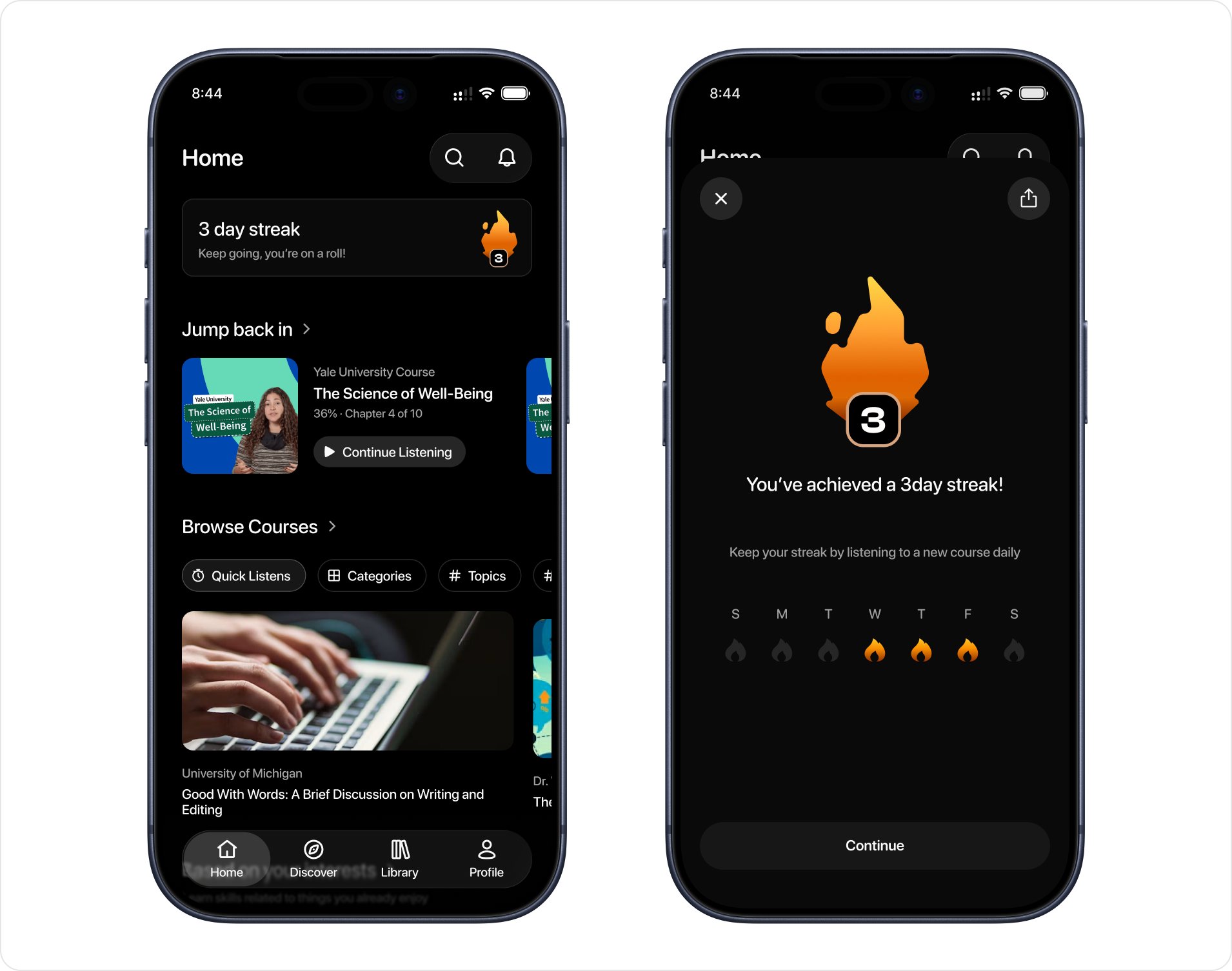
A small card at the top of home counts the days in a row the learner has listened, with a flame badge showing the number. Tapping it opens a full-screen moment: the count in large type, a short line of encouragement, and a week view of the days they listened, with the option to share it.
It's a light nudge to build a habit, not a demand, and a single Continue button lets them carry on. Back on home, "Jump back in" sits right below the card, so the next step is one glance away.
Reflection
My thoughts and takeaways
Designing Eduu taught me that the hardest part of designing for divided attention is knowing what to leave out. Every screen started with more than it needed: a chapter name, an options menu, a second number, a row of moments. Each time I asked what someone could take in with their attention elsewhere, the answer was shorter than my first draft.
The resume card is the clearest example. It went through several versions and ended up with a cover, a title, a progress line, and one button.
It also showed me how much of a product's identity sits in its positioning. Deciding early that Eduu wasn't a replacement for video courses, and borrowing habits people already have from music and podcast apps, made the later decisions easier to explain, from the subscription to the free introduction.
Without user research, I relied on clear reasoning and kept my assumptions visible. Putting the whole case study together taught me that being honest about what a project is makes the work more convincing, not less.